How to Prevent a Toggle Bolt from Spinning in the Wall

To stop a toggle bolt from spinning, you must pull the bolt firmly toward you while you tighten it. Toggle bolts do not grip the drywall like regular screws. Pulling back wedges the metal wings flat against the inside of the wall cavity, creating the friction necessary to stop the wings from spinning so the screw can tighten.
If you are dealing with an endlessly spinning toggle bolt, it can be incredibly frustrating, but the fix is purely mechanical. Here is everything you need to know to get that bolt locked down tight.
Why Do Toggle Bolts Spin?
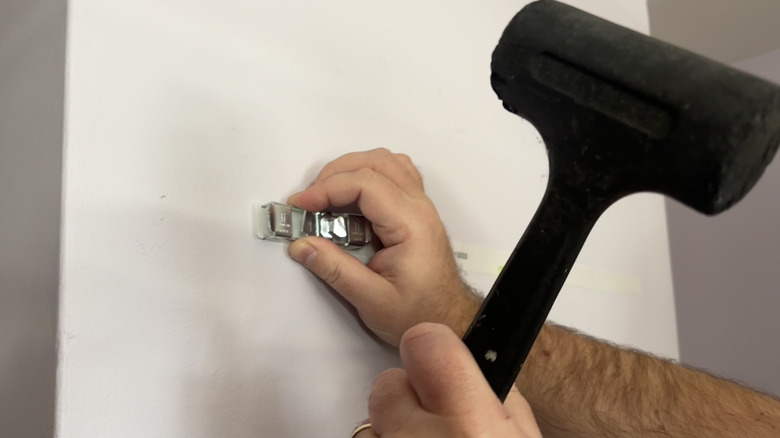
To understand the fix, you have to understand the mechanics.
Unlike a wood screw or a plastic wall anchor that bites into the material as you turn it, a traditional toggle bolt relies entirely on empty space. The anchor consists of a machine screw and a set of spring-loaded metal “butterfly” wings.
Once you push the wings through the drywall, they pop open inside the hollow wall cavity. If you just put a screwdriver to the head of the bolt and start turning, there is nothing stopping those metal wings from simply doing cartwheels in the empty space behind your wall. The bolt and the wings will spin together endlessly.
3 Steps to Tighten a Toggle Bolt Without Spinning

Here is the foolproof method for installing a traditional toggle bolt properly:
- Insert and Listen for the “Snap”: Push the folded toggle bolt through the hole in your wall (making sure it is already threaded through the bracket or item you are hanging). Push it deep enough until you hear or feel the metal wings snap open inside the wall.
- Apply Constant Backward Pressure: Grab the bracket or the head of the screw and pull it directly toward your body. Do not let go. This action pulls the opened metal wings tight against the hidden back-side of the drywall.
- Tighten Under Tension: While keeping that firm backward pressure applied, begin tightening the screw with your drill or screwdriver. The friction of the wings digging into the back of the drywall will lock the nut in place, allowing the machine screw to thread through it successfully.
How to Fix a Toggle Bolt That is Already Stuck and Spinning
If you already messed up and the screw is jammed, spinning, and won’t go in or out, the threads on the bolt have likely locked up against the wings. Here is how to handle it:
- The Pliers Trick: Wedge a flathead screwdriver under the head of the screw to create leverage, pulling the bolt toward you. While applying that outward pressure, use a drill or a hand screwdriver to back the screw out.
- The Point of No Return: If the bolt is completely stripped or cross-threaded and refuses to move, your only option is removal. Use a pair of heavy-duty pliers to snap the head off the bolt, or use a Dremel/hacksaw to cut the head off. Push the remaining shank into the wall cavity (you will lose the wings forever inside the wall), and start over with a fresh toggle bolt.
The Ultimate Fix: Upgrade to Strap Toggles
If you want to avoid the spinning problem entirely, drop traditional toggle bolts and upgrade to Strap Toggles (often sold under the brand name SnapToggle).
Instead of spring-loaded wings that float freely on the screw, strap toggles use a plastic zip-tie mechanism to hold a solid metal channel tightly against the back of the drywall before you even insert the screw.
Traditional Toggle Bolts vs. Strap Toggles
| Feature | Traditional Toggle Bolt | Strap Toggle (SnapToggle) |
| Spin Risk | High (Requires backward tension) | Zero (Anchor is locked to the wall) |
| Reusability | None (Wings fall in wall if screw is removed) | High (You can remove the screw; the anchor stays in place) |
| Installation Ease | Moderate (Requires juggling the bracket, screw, and drill) | Very Easy (Anchor is pre-installed in the wall) |
| Weight Capacity | High | Extremely High |

- Top 10 Best Helmet For Xtreme 125r 2026 - October 5, 2026
- Top 10 Best Helmet For Xpulse 200 2026 - October 5, 2026
- Top 10 Best Helmet For Xsr 155 2026 - October 5, 2026