Car Won’t Start After Using Obd2: Car Won’t Start After Using

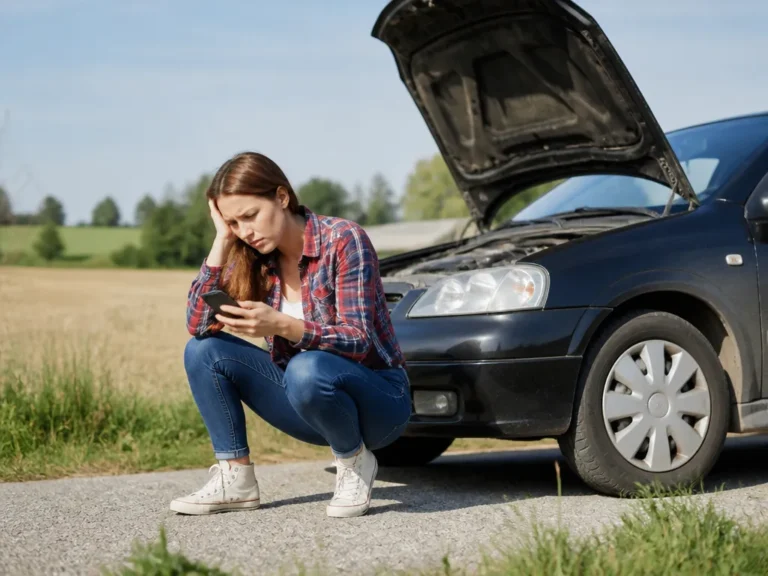
If your car won’t start right after you plug in an OBD2 scanner, the scanner probably did not damage it. The timing usually points to a weak battery, poor ground, loose fuse, or an immobilizer state triggered during repeated key cycles and start attempts.
Unplug the scanner and try one clean start attempt. Then check battery voltage and grounds, followed by the ignition, PCM, ECM, and OBD2 fuses. If the dash shows a security or immobilizer warning, stop scanning and follow the vehicle’s key or relearn procedure instead.
Key Takeaways
- Suspect the battery first. A weak battery can drop voltage when modules wake up, causing a no-crank or no-start condition after scanning.
- Check fuses quickly. A blown IGN or PCM fuse can leave some systems powered while disabling the starter or engine controls.
- Verify OBD2 power. A dead or unstable OBD2 power feed can leave modules in a partial state.
- Watch for immobilizer warnings. Security codes usually call for a key procedure or relearn, not more scanning.
- Stop after safe resets. If the battery, fuses, and security steps fail, disconnect the tool and seek professional diagnostics.
- Record codes once. Save freeze-frame data and pending codes before clearing anything.
Car Won’t Start After Using an OBD2 Scan Tool?
A car that will not start after you plug in an OBD2 scanner usually has a power or security problem rather than scanner damage. Scanning can wake several modules, expose a weak battery, or coincide with repeated key cycles that put the vehicle into a temporary security state.
First, determine whether you have a no-crank or no-start condition. If the starter turns slowly or the lights dim heavily, check the battery and connections. If the starter does nothing while the dash remains powered and a security warning appears, investigate the immobilizer before trying more resets.
What OBD2 Use Can Affect
OBD2 scanning mainly changes how long the vehicle’s modules remain awake and how they manage power. That can expose a borderline battery because the modules draw current while the ignition is on. A voltage dip may reset a module or interrupt communication during the scan.
Scanning can coincide with a no-start condition when:
- The scan tool connects and wakes modules, briefly increasing current draw.
- Repeated key cycles and crank attempts leave the vehicle in a protective state.
- Codes are cleared before freeze-frame information is saved.
- The vehicle detects an ignition-state mismatch and sets immobilizer or security codes.
The scanner is rarely the underlying failure. It is more often the moment an existing battery, wiring, fuse, or security problem becomes obvious.
Check OBD2 Power, Fuses, and Grounds
A vehicle can return diagnostic codes even when power to the PCM and starter-related circuits is unstable. Getting a code from the scanner does not prove that the car has enough voltage to start.
Begin with checks that require no special tools:
- Turn the key to ON with the engine off. Check whether the dash lights look normal or dim.
- Inspect the fuse boxes for fuses labeled IGN, PCM, ECM, or engine controls.
- Check the OBD2 port for loose fitment, bent terminals, or an adapter and cable pulling against the connector.
Then check for signs of a power or ground problem:
| Watch the headlights or dash while pressing START. Heavy dimming or a “click then fade” pattern points to a weak battery or poor ground.If you have jumper cables or a known-good battery, try a jump-start. If the car starts with stable auxiliary power, focus on the battery, terminals, ground straps, or charging system. | What you observe while trying to start | Likely cause first | What to do next |
|---|---|---|---|
| Dash lights dim heavily and starter sound weakens | Low battery or bad ground | Jump-start, then inspect battery terminals and ground straps | |
| Starter clicks but crank never engages | Starter feed issue, high resistance at connections, or fuse | Check under-hood fuses for IGN/PCM and inspect battery terminals | |
| Starter doesn’t respond at all, but dash powers normally | Security/immobilizer or switch/circuit issue | Look for security indicators, then check immobilizer behavior | |
| Scan tool disconnects or behaves erratically during ON/START | OBD2 power or port feed problem | Inspect OBD2 port fit, relevant fuses, and wiring for the port circuit |
If the fuses are accessible, remove and visually inspect them. A multimeter lets you verify voltage at the relevant feeds instead of relying on appearance. Without testing tools, a jump-start remains a useful decision point because it separates a power problem from a module or security problem.
Try a No-Scan Restart and Check Battery Health
Unplug the OBD2 scanner before attempting another start. A clean ignition sequence removes the tool from the equation and shows whether the vehicle starts normally without it connected.
Use this sequence:
- Unplug the OBD2 scanner.
- Turn off the headlights and any accessories.
- Put the key in ON, pause 5-10 seconds, then press START without repeatedly cycling the ignition.
A marginal battery can collapse during cranking even when it still powers the dash and scanner. That voltage drop can reset the PCM and cause an immobilizer timeout, making the problem appear to follow the scan.
If you can measure battery voltage, check it at two points:
- Key OFF with the doors closed, to measure resting voltage.
- Key ON and while cranking, to observe voltage drop.
If you cannot measure voltage, try a jump-start or get a battery load test at a parts store. If the car starts reliably with a jump and fails again after the jump is removed, the battery or charging system is the likely cause.
Avoid repeated start attempts when the starter begins to struggle. Multiple attempts can overheat the starter and deepen the voltage drop, creating additional codes and making the original problem harder to identify.
Check for Security and Immobilizer Lockouts
A “security,” “immobilizer,” “anti-theft,” or “key not detected” message makes the security system the priority. The scan may have coincided with the point at which the vehicle decided that its start conditions were not satisfied.
Common triggers include:
- Key cycling and failed start attempts within a short time window.
- Low voltage that prevents the immobilizer from reading or authenticating the key correctly.
- A module reset while the battery voltage dips during scanning.
Use the vehicle’s normal key procedure rather than trying random resets:
- Try the correct key method for your car. Use the primary key fob and do not juggle multiple fobs.
- If the vehicle requires the key to remain in the ON position for a period, follow that procedure exactly before pressing START again.
- Once a security warning appears, stop clearing codes and stop repeated cranking. Further attempts can extend the lockout period.
When security is involved, the goal is not to see whether the code can be read again. The goal is to restore a valid start state after stabilizing power and completing the correct key cycle. If the security indicator remains after battery voltage is stable, the vehicle may need a relearn or an immobilizer communication repair.
Read Codes and Freeze-Frame Data After the Failure
Codes help only when you preserve their context. After the first failed attempt, record what happened during the failure rather than relying on a generic code list.
Before clearing anything:
- Write down all stored codes.
- Record pending codes if the scan tool displays them.
- Save freeze-frame data when available.
- Note which module reported each code, such as the PCM or body control module.
Use the results to choose the next check:
- Crank-related codes involving a missing crank signal, starter relay control, or cam/crank correlation can point to wiring, sensor signals, or starter-feed problems.
- Fuel and air-metering codes may be genuine, but some appear after a failed start because the engine never reached its expected operating state.
- Security and immobilizer codes belong in the “stop and follow the procedure” category.
Clearing codes too early can erase the freeze-frame clues that show low voltage, missing crank signals, or a security state. Capture the information first, then clear codes only as part of a specific reset plan.
When to Disconnect the OBD2 Tool and Get Help
Treat a module reset as a last resort. Random resets can erase learned data or prolong an immobilizer lockout. If you attempt one:
- Stabilize battery voltage first.
- Follow the vehicle-specific procedure when security-related codes are present.
- Do not clear codes and immediately crank again without a diagnostic plan.
Seek professional help when:
- The battery and connections test normal, but the car still will not start.
- Security or immobilizer messages remain after stable power and the correct key procedure.
- Multiple modules show communication-related errors.
- The vehicle appears to need an immobilizer authentication procedure that requires manufacturer-specific equipment.
Give a shop or mobile technician these details:
- What happens when you press START, including dash behavior, starter sound, and light dimming.
- The exact codes and freeze-frame information.
- Whether a jump-start changes the result.
- Whether security messages appeared and how long they remained active.
Bottom line
If stable battery power, fuses, and the security procedure do not restore a reliable start, stop troubleshooting and seek professional diagnostics.
FAQ
Can using an OBD2 scanner drain my battery enough to prevent starting?
Yes, but usually only when the battery is already very weak, the scan session lasts a long time with the engine off, or you repeatedly cycle the ignition. If the car starts normally after a jump or battery test, the scanner probably exposed or coincided with the low-voltage problem rather than causing it. Dim lights during cranking are a strong battery warning.
What OBD2-related fuse should I check first?
Check the fuses labeled IGN, PCM/ECM, or engine controls, along with any fuse that powers the OBD2 port on your vehicle. If the scan tool powers erratically or disconnects when you press START, suspect the OBD2 power feed or its related circuit. When in doubt, inspect both engine-control and diagnostic-connector circuits.
Should I clear codes if the car won’t start?
Only after recording the codes and freeze-frame data, if your scanner provides it. Clearing codes first can remove the information showing low voltage, missing crank signals, or a security state. Save the details, then clear codes only when you have a specific reset strategy.
How long should I wait after a failed start before trying again?
Wait at least a few minutes to let the modules settle, particularly if you saw a security or immobilizer message. Stop sooner if the starter sound weakens or the dash dims. Repeated cranking can collapse battery voltage further and deepen the no-start problem.
Will disconnecting the OBD2 tool fix a no-start problem every time?
No. Disconnecting the tool removes one variable, but it does not repair a failed starter circuit, blown ignition or PCM fuse, poor ground, or immobilizer authentication fault. If the car still will not start after a no-scan attempt and stable battery power, check the fuses, connections, and security codes before getting professional diagnostics.

- 10 Best Jack For F250 Super Duty Review (October 2026) - October 12, 2026
- 10 Best Jack For Flat Tire Review (October 2026) - October 12, 2026
- 10 Best Jack For Ford Transit Review (October 2026) - October 12, 2026